
I was seeing this error when trying to create new email address for a Document Library.
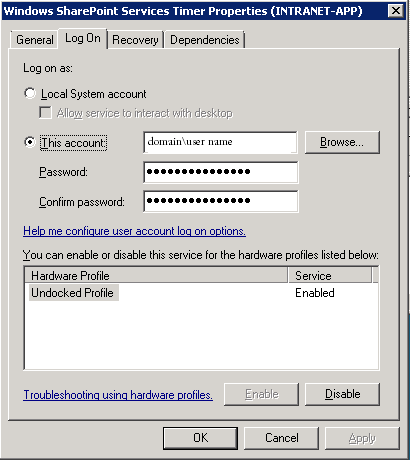
When setting up email in SharePoint, make sure your Application Pool account, Timer account, and the account you are using for mail access are all the same.
After updating this, the Server was unable to process request. —> Access is denied. error went away.
In Windows Server 20008 the Application Pools are located here:
Server Manager –> Roles –> Web Server (IIS) –> Internet Information Services
Under the Connections section click on Application Pools
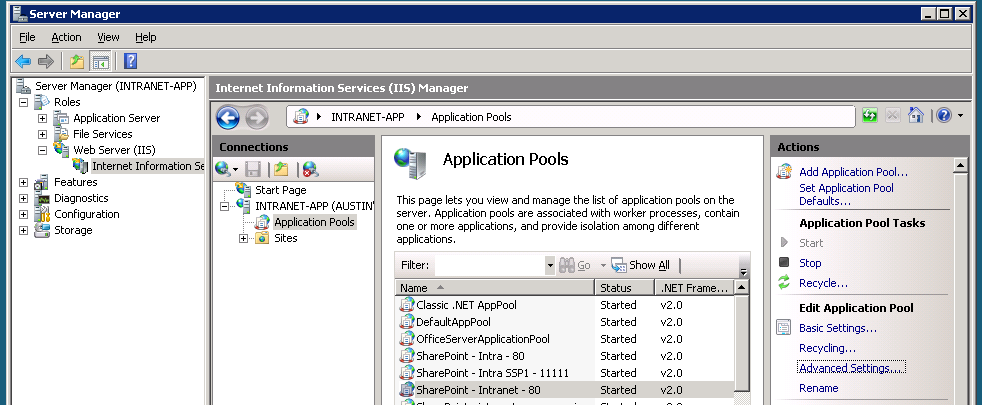
On the right side of the screen you will see Actions. From there click on Advanced Settings…
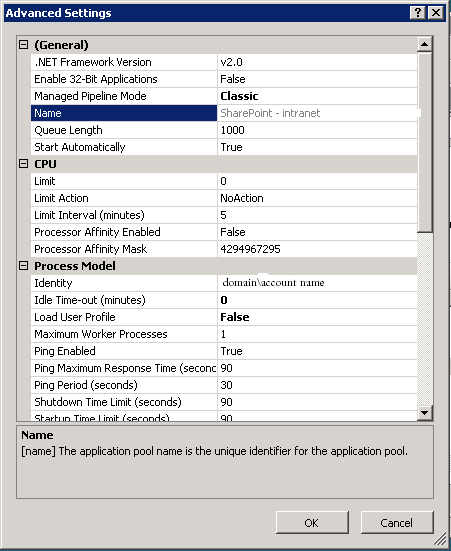
The value in the Identity field is the same account we use for the Timer Service and the account that has access to Active Directory.
How to check or update the Windows SharePoint Services Timer:
Open Server Manager, in Windows Server 2008 this can be found in the Start Menu (start button) or type Server Manager in the search box in the Start Menu. Once you have this open click on Configuration –> Services then locate Windows SharePoint Services Timer.
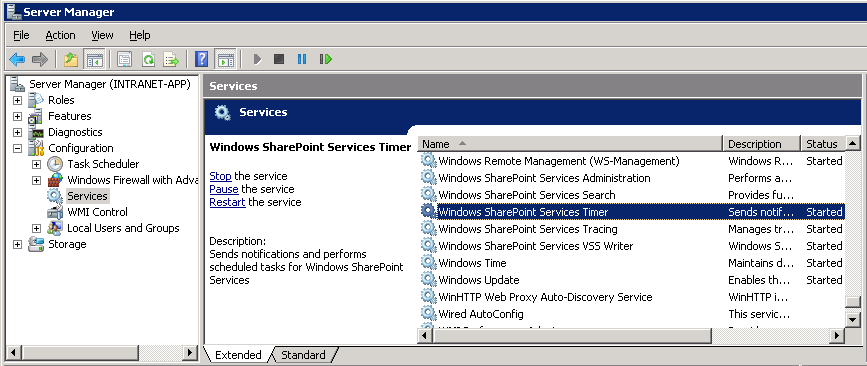
From there right click on Windows SharePoint Services Timer and select Properties. Now, click on the Log On tab. The account listed should also be the same as the account you were using in the Application Pool.
Let me know if you have any questions.
Could you please explain a littel more detail where to find this values.
Thanks
I am using exactly these settings still I am getting same error.
Hi ,
I’m trying to create a custom web app in Access 2013.
In the “Web Location” field I’m entering the url to a Sharepoint 2013 site to which i have “full control” access.
I’m getting the following error:
Server was unable to process the request. –> An error has occurred –> There is no default access services Application Proxy
Thanks
I haven’t spent much time working with Access Services in SP13. This post sounds like the same issue you are dealing with: https://community.spiceworks.com/topic/452254-access-2013-custom-web-app-error